
Self-hosting Immich
2026-03-09 21:03:11 tech Private Cloud NFS Storage Immich

(Unrelated) Photography Practice in Mong Kok, Hong Kong
For the past half year I have explored and deployed over 10 different self-host services, among which the most engaged and most useful one has to be Immich the image/video management solution. I have already running 2 instances in different locations, and I do think everyone should try and host it for themselves.
In this blog post we'll cover the composition of the Immich software, my personal deployment strategy, and some potential caveats. Let's dive right in :)
Architecture
(Made with asciiflow.com)

                      Access through
                           2283
                             │
                  Manage     │          ML tasks
 ┌─────────────┐  original ┌─▼──────┐  (Face recognition ┌────────────┐
 │ File System │  files    │ Immich │   OCR, etc.)       │   Immich   │
 │   (NFS)     ◄───────────► Server ◄────────────────────► ML Service │
 └─────────────┘           └───▲────┘                    └────────────┘
                               │
                               │
                  Job queuing  │  Persistent
                    websocket  │  application data
            ┌───────┐          │            ┌────────────┐
            │ Redis ◄──────────┴────────────► PostgreSQL │
            └───────┘                       └────────────┘
As shown in this (beautifully drawn) ASCII diagram, the whole Immich service consists of 4 main parts besides the underlying file system:
- The core Immich server, center of the entire system. Talks with all other parts, manages original image/video files and host web/API services for web/mobile clients to access.
- Immich ML service is a standalone API service that host and serve useful CV models and handles such tasks, e.g. duplication detection, face recognition, OCR etc. It comes with hardware-accelerated ML that could take good advantage of your available chips.
- PostgreSQL database for all the transactional data management including metadata, different types of indexing, image/face embedding and so on.
- Redis for managing job queue for image processing tasks and websocket connections between different parts of the system. It's entirely operational focused and doesn't do any traditional caching work in Immich.
Deployment with k8s
Although Immich official doc does have a page for installing on k8s but it uses Helm chart and I'm not really a Helm person. Instead I went for the recommended Docker Compose and asked Claude to convert it to corresponding k8s yaml configs, and make specific corrections and tuning on that.
Immich Server
Immich k8s deployment and service
apiVersion: apps/v1
kind: Deployment
metadata:
  name: immich-server
spec:
  selector:
    matchLabels:
      app: immich-server
  template:
    metadata:
      labels:
        app: immich-server
    spec:
      containers:
      - name: immich-server
        # Use latest stable version here
        image: ghcr.io/immich-app/immich-server:v2.3.1
        envFrom:
        - configMapRef:
            name: immich-config
        - secretRef:
            name: immich-secrets
        ports:
        - containerPort: 2283
        volumeMounts:
        - name: upload-data
          mountPath: /data
        - name: nas-photos
          mountPath: /mnt/nas/photos
          readOnly: true
        resources:
          limits:
            memory: "8Gi"
          requests:
            memory: "4Gi"
      volumes:
      - name: upload-data
        nfs:
          server: <NAS-IP>
          path: /path/to/media
      - name: nas-photos
        nfs:
          server: <NAS-IP>
          path: /path/to/external
---
apiVersion: v1
kind: Service
metadata:
  name: immich-server
spec:
  selector:
    app: immich-server
  ports:
  - port: 2283
A few things to notice about this k8s deployment:
Configmap is needed for connecting database, redis and ML service. For a complete list of available env variables, check here.
apiVersion: v1
kind: ConfigMap
metadata:
  name: immich-config
data:
  DB_HOSTNAME: "pg"  # Replace with your PostgreSQL host
  DB_USERNAME: "immich_user"
  DB_DATABASE_NAME: "immich"
  DB_PORT: "5432"
  REDIS_PORT: "6379"
  REDIS_HOSTNAME: "redis"
  IMMICH_HOST: "0.0.0.0"
Opaque k8s secret for pg password.
apiVersion: v1
kind: Secret
metadata:
  name: immich-secrets
type: Opaque
stringData:
  DB_PASSWORD: <fill in>
Since I'm picking up photography and already importing and managing my catalog with Lightroom (mounted from NAS) and I don't intend to change that, the file storage is managed in a split way: mount my photography catalog into Immich server as an External Library (can be later added by the mounted path e.g. /mnt/nas/photos), and allocate a separate directory in NAS to mount as Immich-managed upload target (e.g. /data).1 Remember to set correct FS permission as you desire.
The Immich server is generally not too resource intensive, but try to allocate some Gs of RAM for it to work smoothly if conditions allow. My deployment consumes a constant 4G of RAM according to my monitoring, and it fluctuates when there's active workload (image indexing/processing after upload).
Immich ML Service
Immich machine learning k8s deployment and service
apiVersion: apps/v1
kind: Deployment
metadata:
  name: immich-machine-learning
spec:
  selector:
    matchLabels:
      app: immich-machine-learning
  template:
    metadata:
      labels:
        app: immich-machine-learning
    spec:
      containers:
      - name: immich-machine-learning
        # Use latest stable version here
        image: ghcr.io/immich-app/immich-machine-learning:v2.3.1
        volumeMounts:
        - name: model-cache
          mountPath: /cache
        resources:
          limits:
            memory: "4Gi"
          requests:
            memory: "1Gi"
      volumes:
      - name: model-cache
        persistentVolumeClaim:
          claimName: immich-model-cache-pvc
---
apiVersion: v1
kind: Service
metadata:
  name: immich-machine-learning
spec:
  selector:
    app: immich-machine-learning
  ports:
  - port: 3003
Immich machine learning server runs in a similar fashion. For the resource requirement it highly depend on the demand. I'm putting 1G require/4G limit so that when models are loaded it won't OOM and kill the pod, but from my monitoring it rarely exceeds 2G RAM.
I'm using a NFS backed PVC 2 to mount as cache target for the downloaded models. For the daily use it automatically downloads3 the following models and they take less than 1G disk space in total.
- CLIP by the model openai/clip-vit-base-patch32, introduced by OpenAI to get comprehensive connection between image and natural language, used for image understanding.
- buffalo_l model by insightface is used for face detection and recognition.
- PP-OCRv5_mobile detection and recognition models by PaddlePaddle is used for OCR.
Postgres
Immich persists data in Postgres, which includes information about access and authorization, users, albums, asset, sharing settings, etc, and it requires some extra extensions on top of vanilla postgres database, namely pgvector and VectorChord as specified in prerequisites.
If you don't have a pre-existing postgres deployment, just follow the official docker-compose and use Immich's official image which comes with all the dependencies, and you can tweak around resource limits and how you want to store data for persistence.
Immich postgres deployment and service
apiVersion: apps/v1
kind: Deployment
metadata:
  name: immich-postgres
spec:
  selector:
    matchLabels:
      app: immich-postgres
  template:
    metadata:
      labels:
        app: immich-postgres
    spec:
      containers:
      - name: postgres
        image: ghcr.io/immich-app/postgres:14-vectorchord0.4.3-pgvectors0.2.0
        envFrom:
        - secretRef:
            name: immich-secrets
        env:
        - name: POSTGRES_INITDB_ARGS
          value: "--data-checksums"
        volumeMounts:
        - name: pg-data
          mountPath: /var/lib/postgresql/data
        - name: dshm
          mountPath: /dev/shm
      volumes:
      - name: pg-data
        persistentVolumeClaim:
          claimName: immich-postgres-pvc
      # Workaround for the docker-compose 'shm_size' requirement
      - name: dshm
        emptyDir:
          medium: Memory
          sizeLimit: 128Mi
---
apiVersion: v1
kind: Service
metadata:
  name: immich-postgres
spec:
  selector:
    app: immich-postgres
  ports:
  - port: 5432
While since I already run a standalone postgres instance 4, I had to write a Dockerfile and build a custom pg image with the required dependency, and also manually create the target database. Immich server will trigger the migration procedure if it sees an empty database.
Redis
Actually Valkey5 and it should be pretty straightforward.
apiVersion: apps/v1
kind: Deployment
metadata:
  name: redis
spec:
  selector:
    matchLabels:
      app: redis
  template:
    metadata:
      labels:
        app: redis
    spec:
      containers:
      - name: redis
        image: valkey/valkey:8.0
        # Add liveness and readiness probe if you want
---
apiVersion: v1
kind: Service
metadata:
  name: redis
spec:
  selector:
    app: redis
  ports:
  - port: 6379
When I was setting it up I had to manually create a user and key space or something. But since Immich just use it as a temporary job queue none of that should be necessary.
Clients
See official doc, there's just not too much to say about them. Web or mobil app are all readily available and well polished.
Connectivity
As of now I have settled on 2 major ways of accessing internal services from public Internet. Both can work with Immich and has their respective pros and cons. Immich official doc also covers a few general approaches, but I'll focus on the ones I have tested around.
(Made with asciiflow.com)

     Access
immich.example.com
        │
┌───────┼────────┐
│       ▼        │    ┌──────────────────────────────────────────┐
│   Cloudflare   │    │  Internal systems                        │
│     Access     │    │                                          │
│       │        │    │                     service              │
│       ▼        │    │ ┌─────────────┐   cluster IP  ┌────────┐ │
│   Cloudflare ──┼────│─► cloudflared ├───────────────► Immich │ │
│     Tunnel     │    │ └─────────────┘               │ server │ │
│                │    │                               └────────┘ │
└────────────────┘    └──────────────────────────────────────────┘
The first approach is similar to what's mentioned in Building Private Cloud: Network Security with Tunneling, using Cloudflare Tunnel to serve public services without exposing private IP to the Internet. Although there's a few caveats:
- Cloudflare tunnel only support HTTP(S) protocols so the usage is a bit limited, e.g. you cannot host a public PostgreSQL database or whatever.
- From my experience there's a cap on network packet size going through the tunnel. This would be annoying if you want to upload/backup your medias from anywhere. Photos are generally fine but videos will very likely fail.
- Although your private IP is safe, it still exposes your self-host service to the public, where you're just trusting the out-of-the-box authentication system and the security of the service itself. If you don't trust that, I recently tried Cloudflare Access which is also a free product that can work with Tunnel to add an extra "all-over" authentication protection before your internal service is accessed. It support various OAuth providers, but the default email verification code method is easy to use and requires no extra dependency.6
(Made with asciiflow.com)

       Access
  immich.local.example.com
            │
┌───────────┼────────────────────────────────────────┐
│ Tailnet   │                                        │
│           │                                        │
│           │        ┌──────────────┐    ┌────────┐  │
│  Resolve  ├────────►   Traefik    ├────► Immich │  │
│    DNS    │        │ IngressRoute │    │ Server │  │
│       ┌───▼────┐   └──────────────┘    └────────┘  │
│       │ Pihole │                                   │
│       └────────┘                                   │
└────────────────────────────────────────────────────┘
The other way is to access all internal systems through Tailscale virtual subnet (Tailnet). In the simplest setup, all nodes within the Tailnet are able to access each other through tailscale's network tier. It's basically a simpler and more loose kind of VPN, and we're just offloading the authentication logic to Tailscale.
This method is most suitable if the internal service only needs to be accessed by a very small group of people, or even just the admin, because giving someone access to your entire Tailnet is more risky than the previous approach. I have a Pihole which is configured as the default DNS resolver for all requests within the Tailnet, and immich.local.example.com is resolved to the target node IP (in my scenario it's the k8s master node, and then handled by Traefik loadbalancer) for further routing.
This is actually my default way to do any remote management or developing for anything in my entire system so highly recommended.
Conclusion
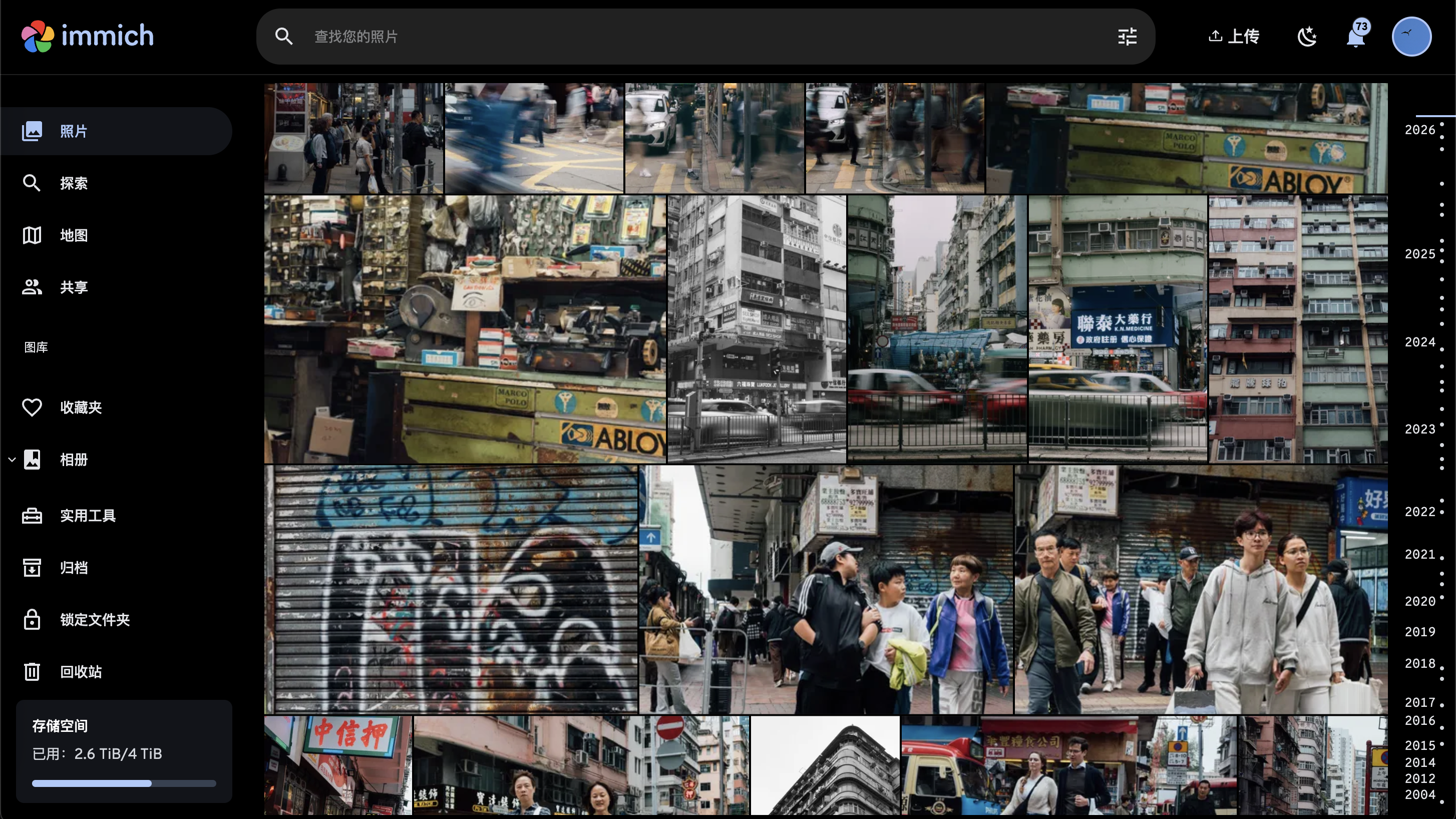
Using Immich to manage my photography work
Immich is by far the most complicated self-host service I've ever deployed, so I think it's worth to blog about. I'm still trying to get better understanding about how multiple users work in Immich regarding media visibility, sharing and so on. But I'm now quite happy with it, and don't have to worry about mobil phone storage capacity, or having to trust my private media with Google or Apple anymore.
Until next time, happy hacking!
See previous post about how to setup NFS based k8s volumes.↩
According to my storage solution, this PVC is stored on my cluster NVME and served by NFS provisioner, also see previous post for how to do that.↩
Note that the auto-download only works outside of mainland-China since model registries like huggingface is hard to access or blocked entirely. I had to download the models from separate channels when I deploy Immich for some friends in China.↩
I should probably blog about it separately but it's already used in so many apps e.g. FreshRSS, gitea, my vibe-coded notes system...↩
Apparently Valkey is the high-performance, truly open-source successor to Redis and can serve as a drop-in replacement.↩
Accessing Immich from mobil app with Cloudflare Access on could be a bit troublesome. Check this Github issue to do OAuth on mobil phones. I think there's another way to bypass Access when you have particular key in the request header (can be configured in Immich app), but I couldn't find a source link uwu↩